
Moving to business software is easier to evaluate when the problem is specific. “We use too many spreadsheets” describes a symptom. “Two teams maintain different versions of the same attendance corrections” gives you a workflow to examine. Use the checklist below to turn a broad software search into a practical evaluation.
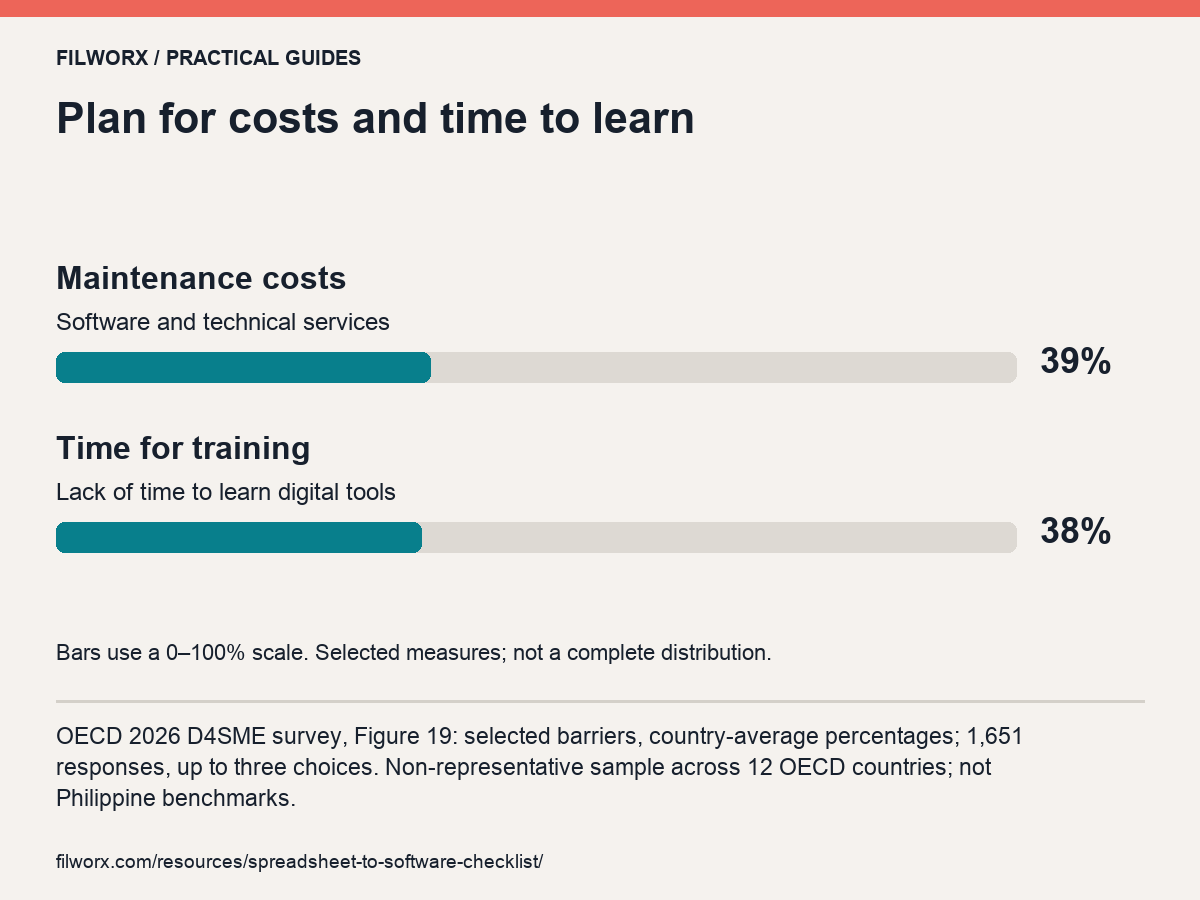
OECD 2026 D4SME survey, Figure 19: selected barriers, country-average percentages; 1,651 responses, up to three choices. Non-representative sample across 12 OECD countries; not Philippine benchmarks.
What recent research adds.
The 2026 OECD D4SME survey identifies maintenance costs (39%) and lack of training time (38%) as digital-adoption barriers. These are selected responses from a non-representative survey, not Philippine rates. Budget for ongoing support and learning time alongside the software itself.
Choose a pilot that can reveal a poor fit.
A useful pilot is small enough to review but includes the exceptions that matter. A perfect sample row may show data entry while hiding the workflow that creates most of your team’s work. Include a normal record, an incomplete record and a change that needs review.
Define the acceptance question before the demonstration. “The screen looks good” is not a test of whether the process is workable. Record what happened, what required configuration and what remained outside scope.
| Pilot case | What to observe | Question before accepting |
|---|---|---|
| Normal record | The routine input and resulting output. | Can the intended user complete the task with the required context? |
| Incomplete input | The warning, exception or follow-up path. | Can the reviewer identify and assign the missing information? |
| Correction | Original value, reason and authorization. | Can another person understand why the record changed? |
| Handover | The report or file used by the next team. | Does it preserve the scope, period and unresolved items? |
Choose the first workflow carefully.
Pick a process that is important enough to improve and narrow enough to explain. Write down its starting point, the people involved, the decision or output it produces, and the point where information is lost or repeated.
A process map can be a few sentences. The aim is to agree what is happening before deciding how a product should support it.
Prepare representative records.
List which records the workflow needs and where they currently live. Identify duplicate, incomplete or inconsistent entries. Agree who can confirm the correct version. Use fictional or appropriately sanitized samples for a sales demonstration.
Do not assume that a spreadsheet will import correctly because it has familiar column names. Confirm accepted formats, required fields, validation, responsibilities and the way exceptions are handled.
Turn requirements into demo questions.
Ask to see a routine case and an exception. Separate what was demonstrated from what was described as available, configurable or planned. Record unanswered questions and who will confirm them.
- Who can view, create, edit, review and export the relevant information?
- What happens when a required record is missing?
- Which steps are included, and which remain outside the product?
- What setup, training, data handling and support arrangements apply?
- Which costs, access limits and implementation responsibilities need confirmation?
Agree what a good fit would look like.
Define a small set of observable criteria. For example, the relevant reviewers can find the same source record, understand an exception and identify the next action. Avoid setting savings targets that have no baseline or promising that a product will automatically resolve a process problem.
Before a rollout, assign ownership for preparation, validation and user support. Preserve the existing records and agree how a change would be reversed if the evaluation does not proceed. Software selection and implementation are separate decisions; document both.
Use the HRIS selection checklist for a focused demo or the AI feature evaluation guide when a proposed feature needs closer review. Microsoft’s change-management checklist offers additional implementation-readiness questions.
Sources & further reading.
Further reading from the original publishers. Product documentation describes that publisher’s product; it does not establish FilWorx capabilities.